Synced delay across every destination.
delayed releases each FLV chunk to every destination at the same wall-clock instant. Twitch, YouTube, Kick, TikTok, custom RTMP: they all see the same frame at the same moment.
The dashboard says +90s, your stream is +90s, on every platform. No fastest mirror to snipe, no per-platform drift to chase.
No re-encode. Ever.
delayed is a pure FLV passthrough. Bytes in, bytes out. Whatever bitrate, keyframe interval, audio codec, and resolution you set in OBS is exactly what every viewer on every platform gets.
- No quality loss; your dialled-in stream stays dialled-in
- No extra GPU cost on top of OBS
- Low CPU; the buffer is just memory copies, no codec work
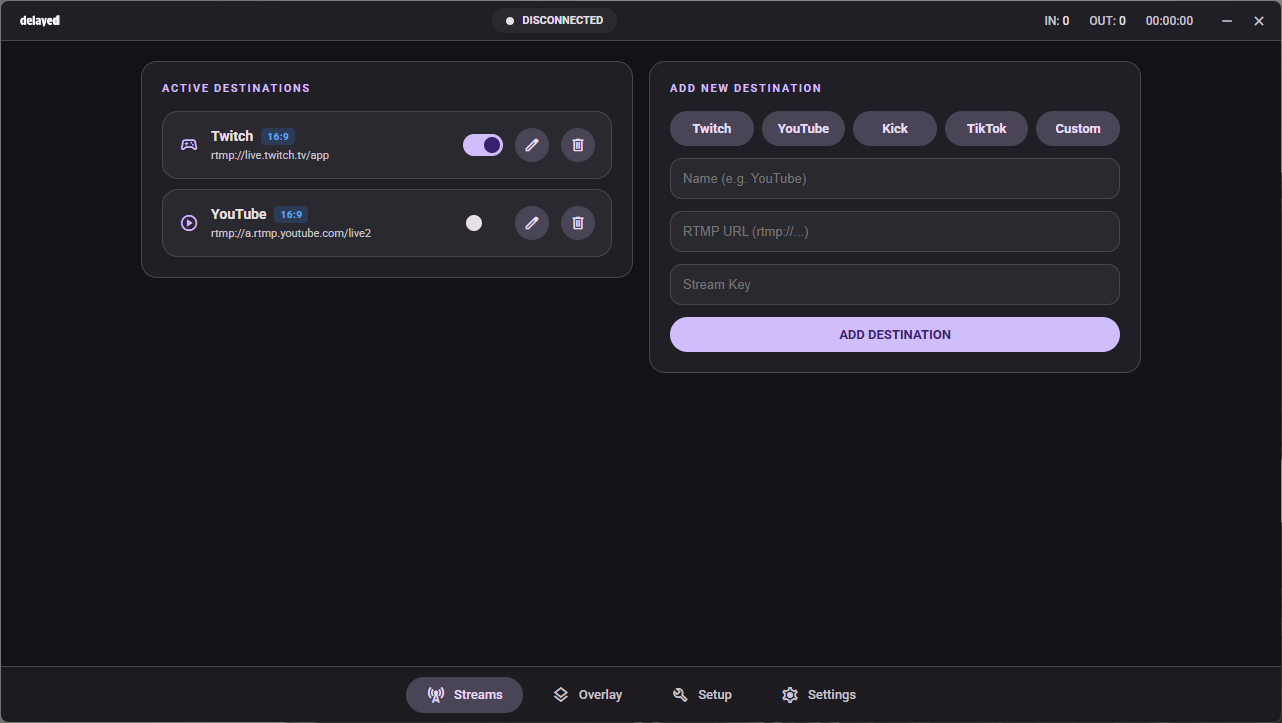
Per-destination toggle, on the fly.
Need to kill TikTok mid-stream because of a copyright song? Want to add Kick three minutes in? Toggle each destination on or off without touching OBS, without restarting your stream, without dropping your other platforms.
- Add or remove destinations live
- Per-destination connection state at a glance
- Custom RTMP URLs supported (Owncast, your VPS, anywhere)
Skip to live when the round's over.
The delay's only useful while the snipe-window is open. Hit Skip to Live and delayed catches your stream up to live instantly: no cut to a black screen, no rebuild.
- Granular skips: 10s, 30s, custom seconds
- Bind to Stream Deck or any global hotkey
- Change your delay anytime: instant, never disruptive
Change your delay without disrupting the stream.
Most delay tools cut to live and rebuild every time you change settings. delayed keeps a small reserve of recent stream content in memory, so bumping from 30s to 60s (or all the way back to live) is just a shift inside that buffer. No interruption, no rebuild, no viewer confusion.
- 60-second default, tunable from off up to 5 minutes
- Live RAM estimate so you always know what you're spending
- Shared across destinations, so multistream doesn't multiply it
Mini player. Tray. Pinned. Whatever.
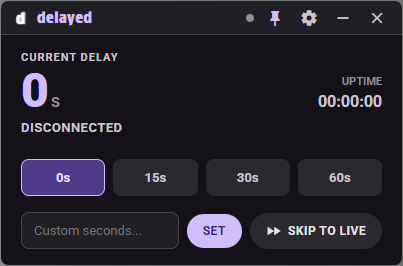
delayed ships a tiny mini-player window you can keep on top of your game, or fold away into the system tray. Big delay readout, the four presets, custom seconds, skip: everything you need at a glance.
- Always-on-top toggle for borderless games
- System-tray mode hides the window without ending the stream
- Resizable, dark-only by design
Stream Deck plugin.
Skip to Live, preset delay keys (15s / 30s / 60s / custom), live status, and refresh, all bound to physical buttons. Free download from the Companion downloads section.
Loupedeck / Touch Portal users: delayed exposes a local HTTP API on 127.0.0.1 today. Community integration guides land on Discord as users ship them.
LIVE
Browser-source overlay for OBS.
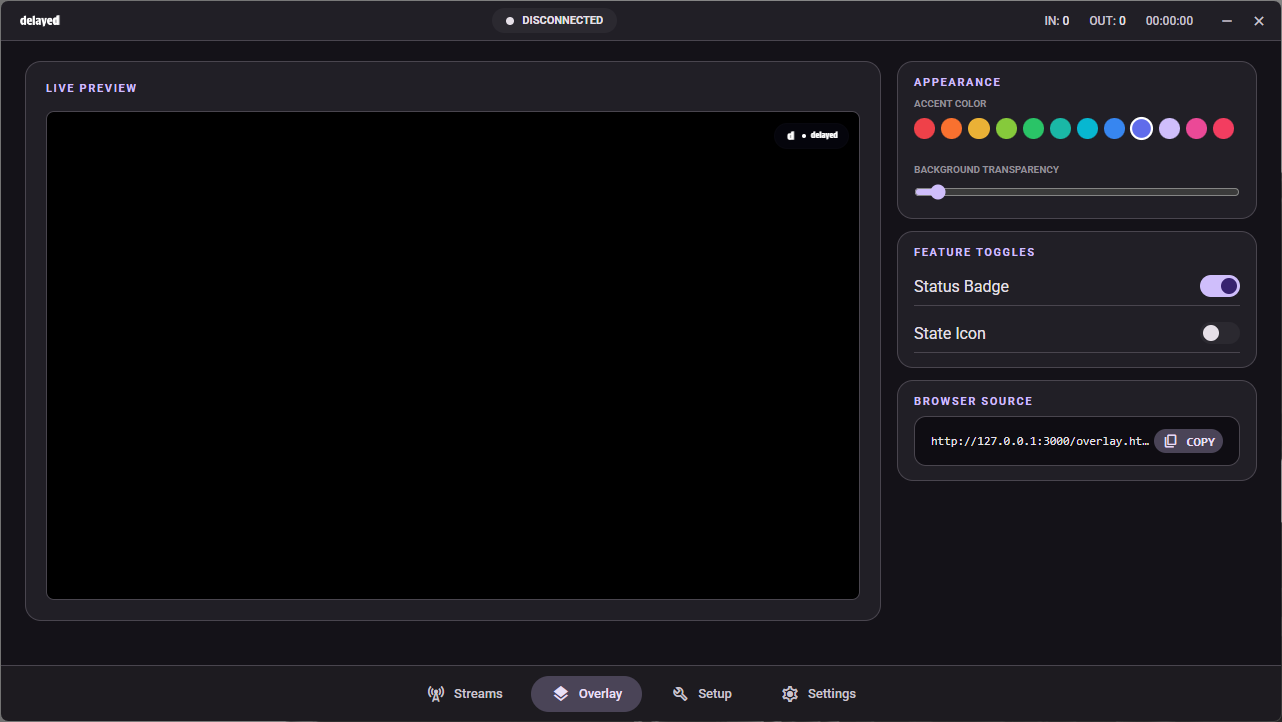
A tiny status badge for your stream that shows current delay, connection state, and a heartbeat dot. Drop the URL into OBS as a Browser Source and it sits on top of your scene. Pick an accent, pick what's visible.
- 11 accent presets, plus background transparency
- Toggleable status badge and state icon
- Local URL, never leaves your machine
Global hotkeys, OBS dock, local API.
delayed exposes a small local HTTP API on 127.0.0.1. The Stream Deck plugin uses it. The OBS browser dock uses it. So can your scripts.
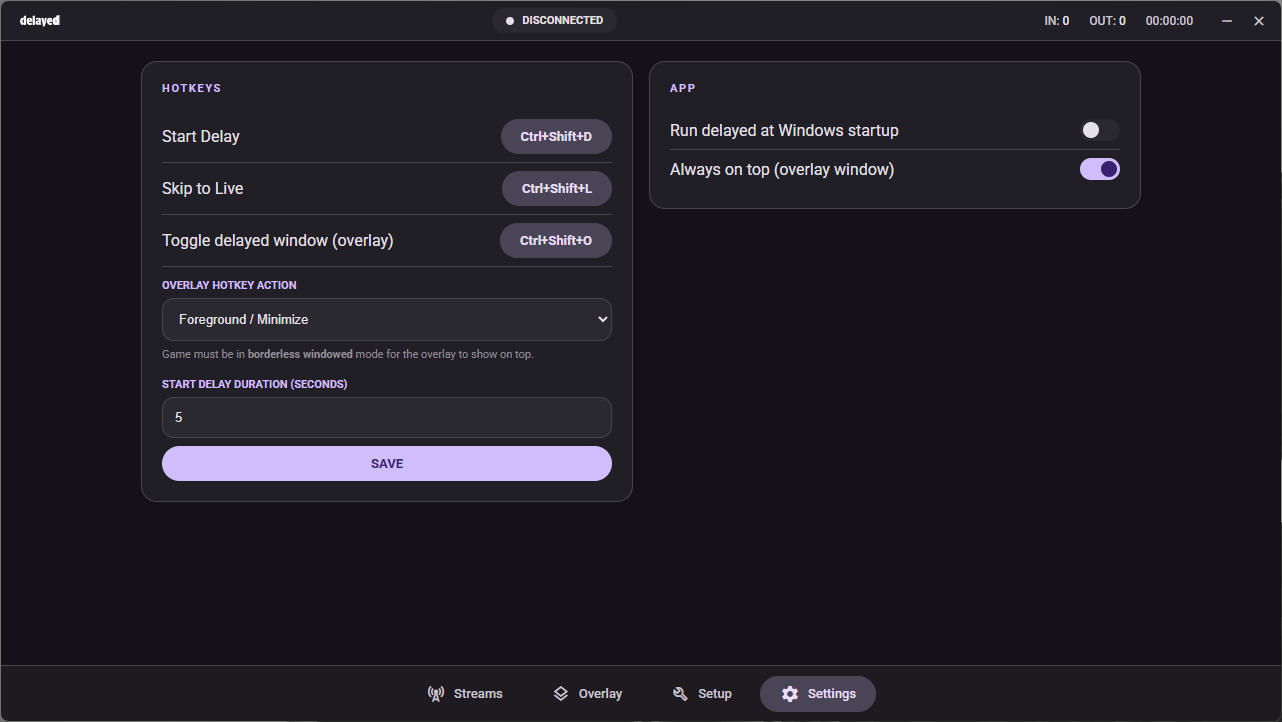
- Global hotkeys for Start Delay, Skip to Live, Toggle Window
- OBS dock URL: same controls, inside OBS
- Run delayed at Windows startup, optional always-on-top
Local-first. By design.
Your stream never touches our servers. delayed runs entirely on your PC and goes directly from your machine to Twitch / YouTube / Kick / TikTok. We have no relay, no cloud buffer, no transcoder. We literally cannot watch your stream.
- Stream keys live in Windows Credential Manager: encrypted by the OS, never written to a plain file
- Listens only on 127.0.0.1, so nothing is exposed to your LAN or the internet
- No telemetry, no analytics, no crash reporting. Outbound calls: license check plus your stream itself. That's it.